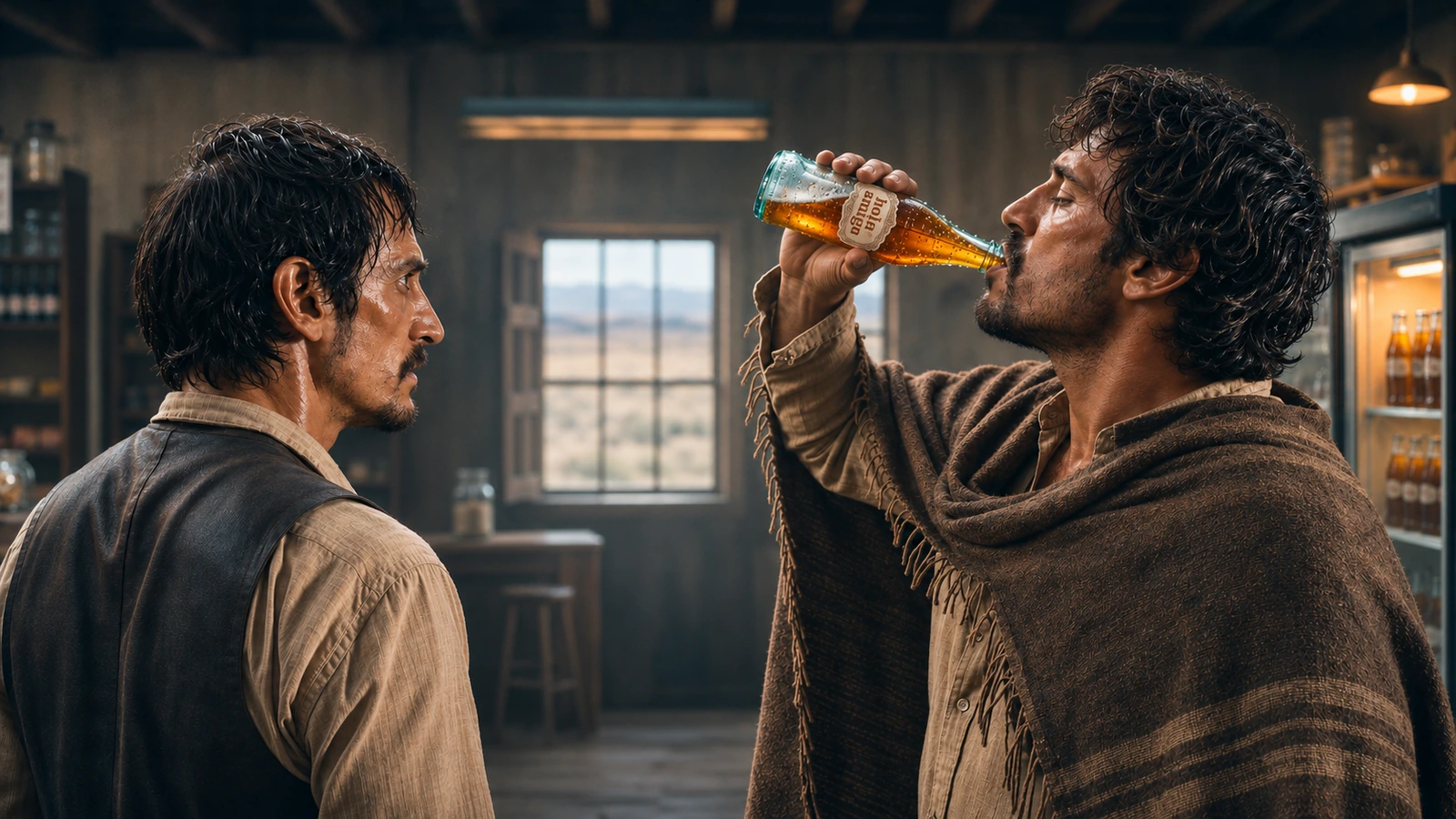
Making an AI short film is not a matter of finding one perfect prompt. It is a production process. You develop a story, lock the visual world, design reusable references, plan the shots, choose the right generation method for each shot, and then finish the film through editing, sound and quality control.
Fast answer: To make an AI short film, start with one controllable story event. Turn it into a timed script and shot list. Build locked references for every recurring character, location and important prop. Approve keyframes before spending heavily on video. Generate the film in repairable shot units, then edit, mix, grade and review it as one continuous piece.
The model matters, but the workflow matters more. A strong video model can produce a beautiful clip. It cannot decide whether the clip advances the story, matches the previous shot, preserves screen direction or gives the editor the coverage needed to finish the scene.
This guide follows one of the workflows I use to take a film from idea to final edit. Different projects can start with a script, music, performance or an image. Adapt the order, references and tools to the story and production needs.
See the workflow in a finished commercial
Here is a practical example from my own work: a 29-second Hola Amigo commercial built from several Seedance 2.0 generations. A rider enters a dusty store on an ox, ignores a confrontation and reaches for a cold drink. The setting is unusual, but the production problems are familiar: recurring characters, a recognisable prop, connected action and an ending that lands.
The commercial follows the same story-first process as a narrative scene: clear action, recognisable characters and an edit that connects each beat. The following sections show its reference images, raw generation and finishing decisions.
The complete AI short film workflow at a glance
- 01Film briefWhat experience are you making?One-page creative brief
- 02Story and scriptWhat changes from beginning to end?Timed screenplay or beat script
- 03Production bibleWhat must remain consistent?Locked story, visual and sound rules
- 04Reference designWhat do the cast, world and props look like?Approved reference pack
- 05Shot designHow will each story beat reach the audience?Shot list, storyboard or approved frames
- 06Model routingWhich method fits each shot?Shot-by-shot generation plan
- 07GenerationWhich takes are useful in the edit?Selected video and audio assets
- 08Post-productionHow do the shots become one film?Picture lock, sound mix and grade
- 09Quality controlWhat needs fixing before delivery?Approved master and project archive
Each stage removes uncertainty from the next. If the character is still changing during video generation, or the story is still changing during editing, the expensive part of the process has started too early.
1. Begin with a filmable idea, not a visual demo
A cinematic image is not yet a story. Before choosing a model, write the film in one sentence:
A specific character wants something, meets resistance, makes a choice and ends in a different emotional state.
For a first short, control the number of variables:
- one central character, or a small recurring cast;
- one main location;
- one important action or decision;
- one visual motif;
- one emotional turn;
- a duration short enough to finish and review properly.
This does not mean the idea must feel small. A quiet human decision can carry more weight than a sequence containing five locations, a crowd, multiple costume changes and complex choreography.
Write toward what the medium can express reliably. Atmosphere, visual transformation, environmental storytelling, controlled physical action and short performance beats are generally easier to direct than long multi-character conversations or interactions requiring exact hand placement. If a difficult action is essential, design coverage that lets you construct it across several shots.
Create a one-page film brief
Before the screenplay, lock these decisions:
- Working title
- Format and target duration
- Audience and viewing context
- Premise
- Emotional starting point and ending point
- Central conflict or discovery
- Visual motif
- Dialogue, narration or silent storytelling
- Delivery aspect ratio and resolution
- Non-negotiable elements
- Elements that can change if generation fails
The last two lines are especially useful. They separate the identity of the film from details that can be redesigned without damaging the story.
2. Write a timed script that can become shots
AI video is generated in clips, but the audience should experience a film. The script must connect those two realities.
Write the story first without decorating every line with camera terminology. Then read it against the intended duration. A 60-second film does not have room for a feature-film plot. It needs a clear setup, development, turn and ending.
A practical short-form structure is:
- Orientation: Show who, where and what the immediate situation is.
- Development: Introduce a pursuit, discovery, obstacle or pattern.
- Turn: Change the meaning, direction or emotional temperature.
- Resolution: Deliver the final image, choice or consequence.
After the story works, divide it into visual beats. Give each beat one dominant purpose. If a beat contains several actions joined by “and then,” it may need more than one shot.
Estimate shot count from pacing, not a fixed formula
A reflective 30-second film may use six deliberate shots. A kinetic 30-second film may use fifteen or more. The correct shot count depends on action density, performance, dialogue, rhythm and how long the viewer needs to understand each image.
For every proposed shot, ask:
- What new information does it give the audience?
- What changes inside the frame?
- Where does the viewer look first?
- What connects it to the previous and next shots?
- Can the required action complete within the planned duration?
If a shot adds no story, emotion, spatial information or rhythm, remove it before generation.
3. Build a production bible before generating video
The production bible is the source of truth for the film. It prevents the project from becoming a folder of attractive but incompatible clips.
Story rules
Record the story facts that cannot change:
- character relationships;
- location and time sequence;
- important objects;
- what each character knows at each point;
- physical or emotional state changes;
- the final outcome.
Visual rules
Define a small visual system instead of restyling every prompt:
- aspect ratio;
- realism or stylization level;
- period and production design;
- palette and contrast;
- motivated light sources;
- atmosphere and weather;
- camera behavior;
- shot-size strategy;
- lens or perspective preference;
- texture and finishing treatment.
Camera-brand and lens names are optional. They are useful only when they communicate a clear visual intention. “Low eye-level perspective with restrained handheld movement and soft highlight rolloff” is more directable than a list of expensive equipment names with no relationship to the shot.
Sound rules
Decide early whether the film uses:
- production-style ambience;
- synchronized effects;
- generated dialogue;
- recorded or generated voice-over;
- score;
- silence as a dramatic element;
- recurring sonic motifs.
Sound should not be an emergency added after picture lock. It can carry continuity across cuts, hide small visual discontinuities and make a simple image feel physically present.
4. Create a reference system, not one overloaded image
Character consistency improves when every reference has a defined responsibility.
Character identity pack
For each recurring character, prepare:
- a clean identity reference;
- front, three-quarter and profile views where supported;
- stable facial features and proportions;
- hair and grooming details;
- the main wardrobe state;
- any approved wardrobe changes;
- distinctive props or accessories;
- neutral references that are not distorted by extreme expressions or lenses.
Do not ask one image to establish identity, an elaborate action, a dramatic camera angle and a complicated location at the same time. Separate identity from staging when the tool supports multiple references.
Location and prop pack
Treat recurring environments and important objects like characters. Lock:
- floor plan or geography;
- entrances, windows and landmarks;
- time of day;
- practical light positions;
- dominant materials and colors;
- scale relationships;
- hero props from useful angles;
- object state changes across the story.
If a glass breaks in Shot 06, every later shot must use the broken state. If a character crosses a doorway from left to right, the next angle must preserve understandable geography unless the edit intentionally resets it.
A real reference pack from the example
For the commercial above, the reference roles were separated: the rider, ox, bandit, clerk and bottle each had their own identity or product reference. The three-view sheet below summarises his face, poncho, clothing and proportions. The bottle reference defines its silhouette, label and glass. Keeping those jobs separate makes a prompt easier to direct and a failed take easier to diagnose.
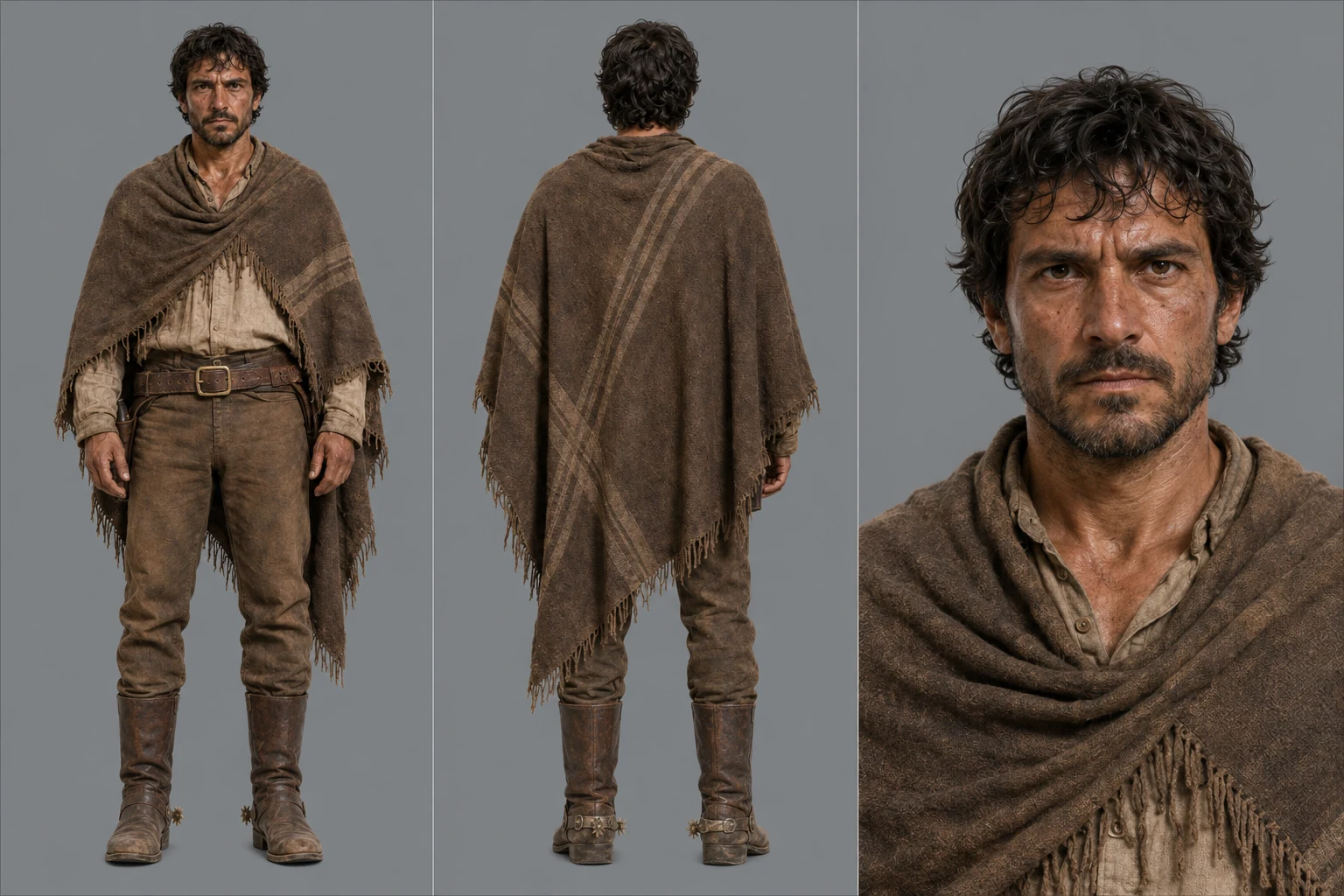

Apply this to your film: give each recurring person and important object one clear reference role. Then check the generated take against those references, especially after a camera change or physical interaction.
Maintain a continuity ledger
A simple ledger prevents expensive mistakes:
| Shot | Character state | Wardrobe | Prop state | Screen direction | Light and weather | Required end state |
|---|---|---|---|---|---|---|
| 01 | Calm | Dry coat | Letter sealed | Faces right | Cold morning | Notices the door |
| 02 | Alert | Same | Letter sealed | Moves right | Same | Hand reaches handle |
| 03 | Hesitant | Same | Letter opened | Turns toward camera | Same | Reads first line |
Update this document when the story changes. Do not rely on memory after dozens of generations.
5. Plan every story beat before motion
Storyboarding is where you solve pacing, composition, geography and coverage at low cost.
A useful AI-film storyboard does not need to be beautiful. It needs to answer:
- shot number and duration;
- framing and camera angle;
- subject position;
- screen direction;
- important foreground and background elements;
- starting action and ending action;
- transition or editorial relationship;
- sound cue;
- emotional purpose.
Build a rough animatic from the storyboard frames. Add temporary dialogue, ambience or rhythm if timing depends on sound. Watch it without explaining the story. If the sequence is confusing as still frames, generating motion will not solve the missing information.
Use keyframes as approval gates
For image-led shots, approve the frame that establishes visual identity before animation. For text-to-video, apply the same checks when reviewing an initial test take:
- character identity;
- wardrobe and props;
- composition;
- lens perspective;
- lighting direction;
- spatial continuity;
- background errors;
- crop safety;
- space needed for movement.
An approved keyframe reduces visual randomness and gives image-to-video generation a stronger starting condition. If the opening and ending compositions are both critical, use a first-and-last-frame workflow where available.
6. Choose the generation method by shot problem
There is no universal best AI video model. The right choice depends on what a particular shot must preserve or perform.
Choose the generation mode first:
| Shot requirement | Useful generation approach |
|---|---|
| Discover a new visual idea | Text-to-video exploration |
| Preserve a designed composition or character | Image-to-video |
| Arrive at a precise end composition | First-and-last-frame generation |
| Continue an existing action or camera path | Video extension |
| Transfer motion, blocking or performance | Video reference or motion transfer |
| Repair one element without rebuilding the take | Targeted video editing |
| Preserve performance across several connected shots | Multi-shot or longer-sequence generation |
| Maintain maximum editorial control | Separate shot generation and NLE assembly |
Then route the shot to a model whose current controls match the requirement.
Current AI video models worth understanding
Choose a model for the controls your shot needs. These first-party capabilities provide a starting point; check the exact version, mode and plan before production.
| Model family | Current production value | Useful verified controls and limits |
|---|---|---|
| Seedance 2.5 | Reference-heavy sequences, longer story beats, multimodal direction and targeted revisions | ByteDance states that it can generate up to 30 seconds, accept up to 30 images, 10 videos and 10 audio references in one pass, and perform timestamp-level editing. ByteDance also acknowledges remaining difficulty with complex physical plausibility and multi-subject stability. |
| Wan 3.0 | Long-form multimodal generation, sequential storytelling and integrated sound | Alibaba’s official release materials describe native generation up to 30 seconds, up to 20 reference assets, video editing and integrated sound. |
| Gemini Omni 1.2 Flash | Fast iteration, conversational video editing, first-and-last-frame interpolation and extension | Google documents 3 to 15-second outputs for Omni 1.2 Flash, up to 4K at 24 fps. First-and-last-frame interpolation uses 3 to 10 seconds; extensions can reach 30 seconds total. Confirm limits for the exact version and mode. |
| MiniMax H3 | Open-weight multimodal production, native audio, dialogue and reference-driven video | MiniMax documents 4 to 15-second video at 24 fps, native 32 kHz stereo audio, first-and-last-frame mode and reference inputs of up to 9 images, 3 video clips and 3 audio clips, subject to mode-specific limits. |
| Kling 3.0 | Multimodal references, storyboard-driven multi-shot work and native multilingual audio | Kuaishou documents outputs up to 15 seconds, multi-shot storytelling, storyboard control and text, image, audio and video inputs across the Kling 3.0 family. |
| Seedance 2.0 | Short multimodal sequences and reference-directed scenes | ByteDance documents up to 15-second multi-shot video with dual-channel audio, using as many as 9 images, 3 videos and 3 audio clips. |
These numbers do not tell you which model will produce the best take for your scene. Benchmark position, prompt adherence, reference fidelity, human performance, camera behavior, audio, speed, cost and editing controls are different variables.
A model can lead a blind quality comparison and still be the wrong choice for a shot that needs exact identity, a particular motion reference or a repairable ending frame.
7. Turn each shot into a production card
A production card is more useful than a huge master prompt because it keeps the shot editable and reviewable.
Use this structure:
SHOT ID:
Story purpose:
Planned duration:

APPROVED REFERENCES:
Character:
Location:
Prop:
Start frame:
End frame, if required:

STARTING STATE:
Where the subject, camera and important objects begin.

PRIMARY ACTION:
One readable action with pace and physical intention.

CAMERA:
Shot size, angle, movement, direction, speed and endpoint.

ENVIRONMENTAL MOTION:
Only the motion that supports the subject.

AUDIO:
Ambience, synchronized effects, dialogue and silence cues.

CONTINUITY LOCKS:
Identity, count, wardrobe, geography, props, light and screen direction.

ENDING STATE:
The image and motion that must hand off to the next shot.

FAILURE CHECKS:
The specific errors that make the take unusable.
For detailed camera and multi-shot prompt design, use PewdenAI’s AI Video Prompt Guide for Cinematic Multi-Shot Scenes. Use the shot card to connect your prompt to the story, references and edit.
From the opening prompt to a raw sequence
This is the unedited opening source used in the finished commercial. It was generated with Seedance 2.0, using separate references for the cast and bottle. The prompt planned three beats: the arrival, the store confrontation and the refrigerator reveal. Compare the raw clip with the final edit above, including the timing and sound.
Read an excerpt from the actual opening prompt
Use uploaded reference sheets as identity and product locks. Do not display the sheets themselves.

REFERENCES:
Image 1 = Caballero identity and wardrobe
Image 2 = Ox identity and proportions
Image 3 = Bandit identity and wardrobe
Image 4 = Clerk identity and wardrobe
Image 5 = Bottle product geometry and label
Do not blend identities. Do not transfer lighting onto skin tone. Do not change wardrobe.

Shot 1 (0–5s): Hyper-kinetic low-angle tracking shot. Scorching Spanish desert exterior, heavy heat distortion over cracked dry earth. The Caballero (Image 1) rides the massive Ox (Image 2) at full charge. The ox crashes straight through swinging wooden double doors of a dusty single-story convenience store, splintering wood.
The useful pattern is the assignment of references followed by a timed action. Copy that structure for your own scene. A requested event or camera move is still something to review in the output, not a guarantee that the model will execute it exactly. For later sequences in this project, an extracted frame and the recurring references were used to guide continuity.
8. Generate tests before final-quality takes
Do not begin by rendering every shot at the highest available setting. Test the decisions that could invalidate the pipeline.
Build a small proof sequence
Choose three difficult shots:
- a character close-up;
- a full-body action or interaction;
- a location-wide shot containing the recurring character.
This test reveals whether the identity references, visual bible and chosen generation route survive different scales. It also exposes the likely retry rate before the full shot count becomes expensive.
Generate coverage, not only hero takes
For important moments, plan editorial alternatives:
- wide or establishing coverage;
- a readable action angle;
- reaction close-up;
- insert of an important object;
- environmental cutaway;
- a clean handle before and after the action.
Coverage gives the editor ways to shorten weak motion, hide discontinuities and control rhythm. One spectacular take with no usable entrance, exit or reaction can be harder to edit than three simpler shots.
Keep a generation log
For every selected and rejected take, record:
- model and exact version;
- access platform;
- generation mode;
- prompt version;
- references used;
- duration, aspect ratio and resolution;
- seed if available;
- what worked;
- failure reason;
- filename of the selected take.
The log makes improvements reproducible. It also creates a production record that can matter when the film is used commercially.
9. Budget for approved shots, not planned shots
The real cost of an AI short film is driven by retries.
Use this planning formula:
Estimated generation load = planned shots × average attempts per approved shot + repair passes + extensions + upscales
Assign more attempts to shots with:
- several interacting characters;
- precise dialogue or lip movement;
- fast choreography;
- hands contacting objects;
- exact products, costumes or logos;
- complex camera paths;
- a required start and end state.
Prototype risky shots early. If a scene cannot be generated within its retry budget, redesign the coverage, simplify the action or move the information into sound and editing. Do not continue spending only because the original shot looked impressive on paper.
10. Edit the film as a film, not a model showcase
The edit decides which generated moments become part of the story.
What changed in the final edit
The 29.3-second timeline uses material from four generated source videos. I kept shorter useful sections, added a brief overlapping insert, and held the final product frame. The edit also has separate door, cap-pop, fizz and swallowing effects, music and closing voice-over. Those layers turn generated footage into a timed scene rather than a row of full-length outputs.
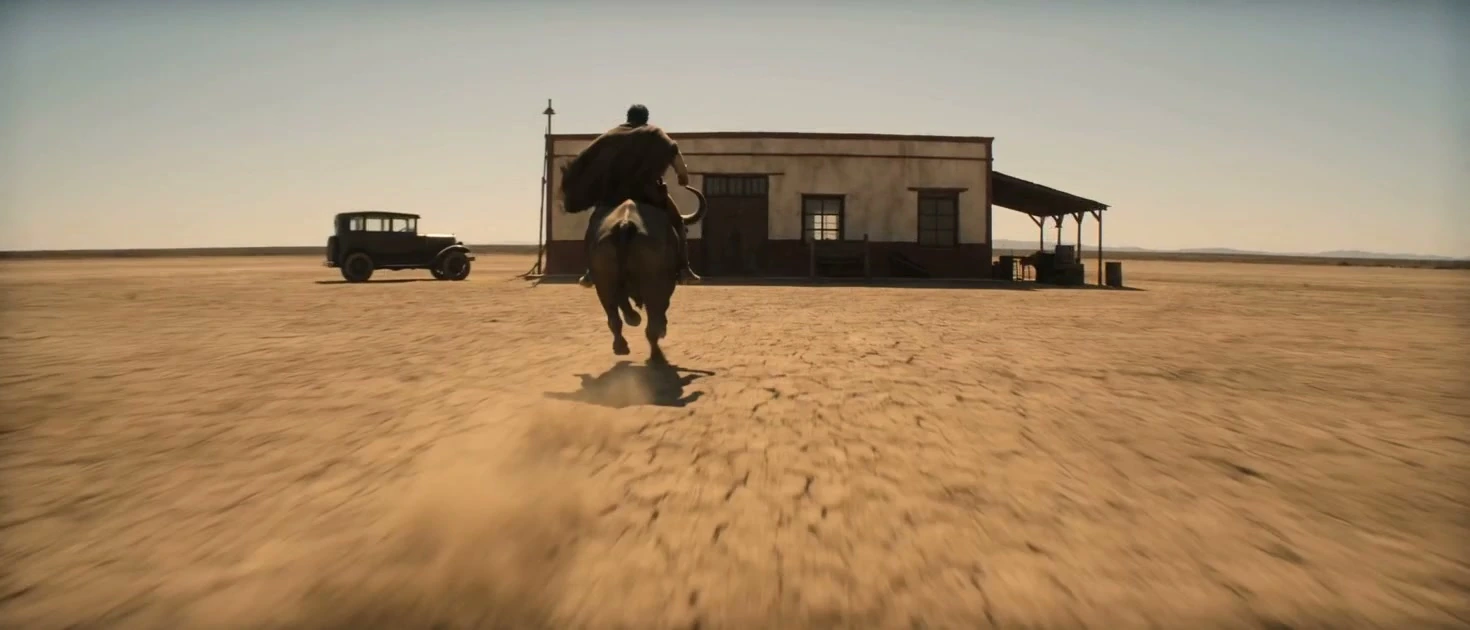
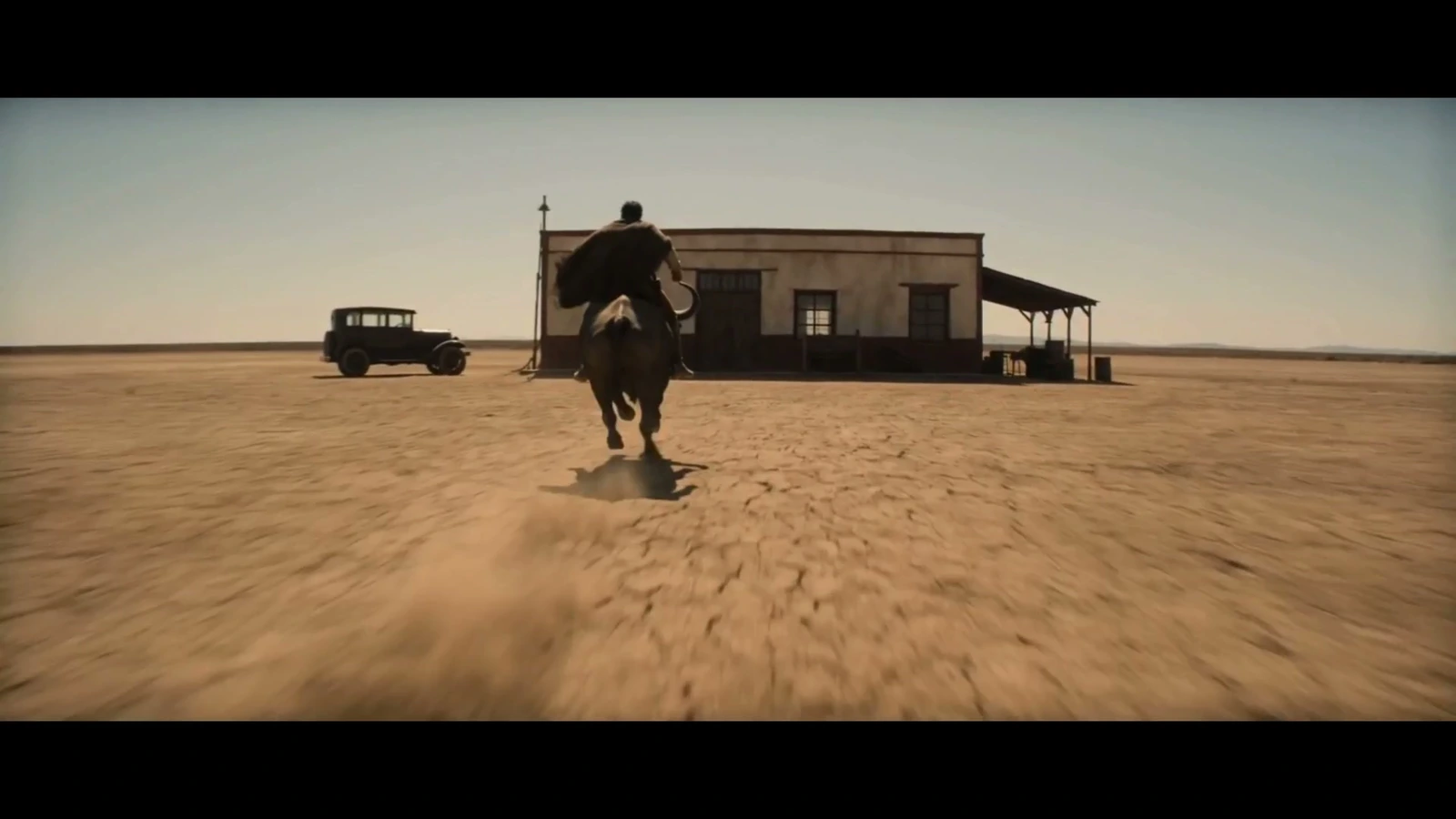
The important lesson is to judge each clip by the job it does in the scene. Keep the best part of a take, find a useful reaction or insert, and give the audience a clear sound cue at the important action. Review the image, timing and sound together before exporting.
Cut for intention
Do not preserve a clip’s full generated duration merely because it cost money. Enter late, leave early and remove attractive frames that weaken the scene.
Watch for:
- repeated camera moves;
- every shot beginning from rest;
- actions that reset at each cut;
- identical shot durations;
- a sequence made entirely of slow push-ins;
- dramatic images with no cause-and-effect relationship.
Use reaction, inserts and off-screen sound to create relationships that were not reliable in a single generation.
Match clips from different models
When several models are used, normalize:
- frame rate;
- resolution and sharpness;
- motion cadence;
- exposure and white balance;
- contrast and black level;
- color temperature and saturation;
- grain or texture;
- audio level and room tone.
The goal is not to erase all visual difference. It is to make every difference feel motivated by the film rather than by a tool switch.
Build sound in layers
A practical sound stack is:
- continuous ambience;
- synchronized production effects;
- footsteps, cloth and prop foley;
- dialogue or voice-over;
- designed accents;
- music, if the story needs it;
- silence where contrast matters.
Native generated audio can provide useful timing and texture, but review speech, unwanted music, environmental continuity and synchronization separately. Replace or rebuild any layer that weakens the final mix.
11. Run separate quality-control passes
Watching the film once and asking whether it “looks good” is not enough. Review one problem class at a time.
Story and edit pass
- Is the situation understandable without explanation?
- Does each shot change information or emotion?
- Is the ending earned?
- Are any shots present only because they look expensive?
Character and performance pass
- Does the same identity persist?
- Are age, body proportions, hair and wardrobe stable?
- Do gaze and eyelines connect?
- Does the performance have a clear intention?
- Do facial and hand details break under close inspection?
Continuity and geography pass
- Is screen direction coherent?
- Do props remain in the correct state?
- Does weather, time and lighting progress logically?
- Do entrances and exits connect?
- Does every action begin where the previous shot ended?
Physics and image pass
- Do contact, weight and momentum feel believable?
- Are there duplicate people, limbs, props or shadows?
- Does camera movement preserve the space?
- Are text and logos accurate?
- Are there flickers, texture crawls or sudden background changes?
Audio pass
- Does room tone continue across cuts?
- Do effects match contact and distance?
- Is dialogue intelligible and synchronized?
- Does the music overpower performance?
- Are there unexplained voice, music or ambience changes?
Rights and delivery pass
- Do you have permission to use every reference asset?
- Are any real people, voices, brands or protected characters recognizable?
- What terms applied through the exact service and plan used?
- Does the destination platform require synthetic-media disclosure?
- Have you preserved prompts, references, receipts, permissions and version records?
For a detailed professional-use review, read Can You Use AI-Generated Video for Client Work? Commercial Rights in 2026.
12. Export, archive and publish deliberately
Create at least:
- a high-quality master;
- the required platform deliverables;
- captioned or subtitled versions where needed;
- thumbnail or poster frames;
- a clean project archive.
The archive should contain the script, production bible, storyboards, selected references, generation log, prompts, source clips, edit project, audio assets, licenses and final masters.
If the short will be published as a case study, document the human decisions that shaped it. Useful behind-the-scenes material includes the original brief, storyboard changes, failed takes, model-routing decisions, continuity fixes, sound design and final comparison. That evidence is more valuable than presenting the film as the result of one secret prompt.
Common AI short film mistakes
Starting with the model
The story becomes a demo of whatever the model produced easily. Start with the film’s objective, then choose tools.
Generating before locking references
Character and world drift appear after credits have already been spent. Approve identity and location systems first.
Asking one shot to do too much
Complex performance, camera movement, prop interaction and environment changes compete for attention. Simplify or split the shot.
Treating “cinematic” as a complete direction
Style words cannot replace blocking, light, perspective, movement and an endpoint.
Using one model for every shot
Convenience can be useful, but it should not override the needs of the scene. Route only the difficult or distinctive shots elsewhere if that improves the final film.
Skipping sound until the end
Picture timing may depend on dialogue, impacts, breath or silence. Design the sonic structure before the edit becomes rigid.
Keeping every expensive generation
Cost is not a creative reason. If a shot does not serve the film, remove it.
Copyable pre-generation checklist
Use this planning checklist to identify gaps before full generation, and adapt it to your project:
- The premise and emotional turn fit in one sentence.
- The target duration and delivery format are fixed.
- The timed script works without visual decoration.
- Every scene has a clear story purpose.
- Recurring characters have approved identity references.
- Wardrobe, locations and important props are locked.
- Character and prop state changes are documented.
- Every shot has framing, action, duration and an endpoint.
- Screen direction and geography are understandable.
- The storyboard or timed shot plan works before full generation.
- Difficult shots have been tested before full production.
- Each shot has an appropriate generation mode and model route.
- The project has a retry budget and naming system.
- The sound plan exists before final picture lock.
- Reference rights and commercial requirements are recorded.
Frequently asked questions
Can I make an AI short film for free?
You can prototype a short film with free tiers and low-cost tools, especially at the script, storyboard and keyframe stages. A polished narrative film usually requires paid generations or limited credits because several takes, repairs and final-quality exports are often needed. Plan the film in still images before spending on motion.
How long should my first AI short film be?
Use the shortest duration that can deliver a complete emotional change. A finished 30 to 90-second film teaches more than an unfinished five-minute project. One character, one main location and one central event are a strong first production constraint.
Which AI video model is best for short films?
No model is best for every shot. Choose by the requirement: reference fidelity, human motion, multi-shot continuity, native audio, first-and-last-frame control, editing, speed, cost or final visual quality. Test the hardest representative shots before committing the full film to one workflow.
How do I keep a character consistent in AI video?
Use a locked identity pack, separate identity from staging references, preserve wardrobe and prop states, approve keyframes, keep a continuity ledger and review identity at different shot sizes. For connected action, use end-frame chaining, first-and-last-frame control or reference-driven video where appropriate.
Do I need a storyboard for an AI short film?
A storyboard is strongly recommended for scenes with several connected shots, but a timed shot list and approved frames can also provide a workable plan. What matters is solving pacing, geography, coverage and continuity before committing to full production.
Can AI-generated short films be used commercially?
Often yes, but permission depends on the exact service terms, plan, references, recognizable people or brands, output rights and destination rules. Commercial permission from a platform does not guarantee copyright protection, exclusivity or freedom from third-party claims.
Final takeaway
The strongest AI short films are not collections of successful generations. They are directed systems.
Lock the story before styling it. Lock the references before motion. Design every shot for a purpose and an edit. Route the shot to the right method, keep the production repairable, and judge the final result as a film rather than as a technology demonstration.
The models will keep changing. A disciplined filmmaking workflow will survive those changes and make each new model more useful.