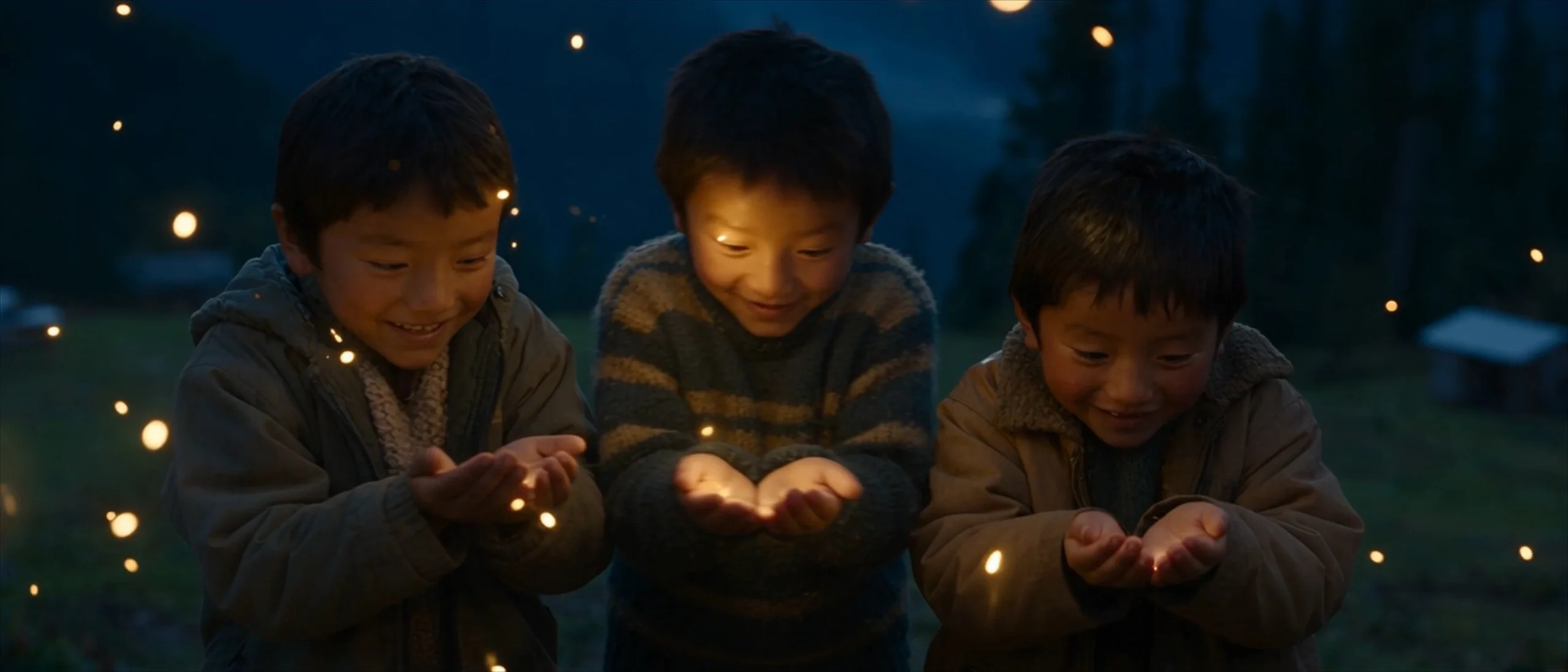
- This AI video prompt guide shows how to direct a scene, not merely describe a beautiful image.
The difference is not more adjectives. It is a clear hierarchy: lock the subject and world, divide the idea into timed visual beats, give each shot one primary camera instruction, and specify how motion and sound evolve.
This guide shows that process using an original 30-second PewdenAI microfilm generated with Seedance 2.5, Fireflies of the Ridge. The film follows exactly three children across 12 shots on a moonlit Sikkim hillside. It is a useful stress test because it combines character-count consistency, changing shot sizes, low-light cinematography, environmental motion, native audio and a complete emotional arc.
Fast answer: A reliable cinematic AI video prompt defines story intent + subject lock + environment lock + timed shot blocks + one motivated camera move per shot + subject/environmental motion + audio + continuity constraints.
The director-led AI video prompt formula
Use this order:
- Story intent: What should the viewer feel, and what changes by the end?
- Subject lock: Who or what must remain consistent?
- Environment lock: Where and when does the story take place?
- Visual language: Camera behavior, lenses, lighting, palette and texture.
- Timed shot blocks: A sequence of shots with start/end times.
- Motion layers: Subject motion, camera motion and environmental motion.
- Audio direction: Ambience, foley, voice, dialogue or music.
- Continuity constraints: What must never appear, change or duplicate?
This structure is more useful than repeating words such as “cinematic,” “masterpiece” or “Hollywood.” Each line should give the model one practical instruction it can execute on screen.
A copyable cinematic AI video prompt template
TITLE / FORMAT:
[Duration] [genre or format].

EMOTIONAL INTENT:
The viewer begins feeling [emotion] and ends feeling [emotion].

SUBJECT LOCK:
[Number and description of subjects]. The same subjects remain consistent.
Do not add, remove, duplicate or replace any subject.

ENVIRONMENT LOCK:
[Location, time, weather, architecture, terrain and practical light sources].

VISUAL LANGUAGE:
Camera behavior: [controlled handheld / locked-off / gimbal / etc.]
Shot and lens strategy: [wide / medium / close; focal lengths if useful]
Lighting: [motivated sources and contrast]
Color and texture: [palette, material detail, atmosphere]

AUDIO BED:
[Ambience, foley, voice/dialogue and music rule].

SHOT 01 ([timecode])
Framing + angle + lens: [one clear setup]
Camera movement: [one primary move, direction and speed]
Subject action: [one readable action]
Environmental motion: [one or two subtle motions]
Audio: [specific synchronized sound]
Purpose: [what this shot reveals or makes us feel]

[Repeat for each shot]

CONTINUITY / EXCLUSIONS:
[Identity, count, wardrobe, geography, time-of-day and unwanted-element locks].
Do not fill every line merely because the template contains it. Use only the controls that serve the scene. Some models respond better to concise natural language; others can follow a detailed shot plan. Start with the simplest structure that preserves the idea, then add constraints only when a failure proves they are needed.
Why vague “cinematic” prompts fail
“A cinematic scene of children chasing fireflies” describes a concept, not a film.
It does not tell the model:
- how many children exist;
- whether they remain the same children;
- where the camera begins or ends;
- what changes across 30 seconds;
- how the close-ups connect to the wide shots;
- whether the lights are fireflies, stars or artificial effects;
- which sounds belong to the world;
- what the emotional climax should be.
Adding more style words cannot repair missing direction. Replace decorative adjectives with decisions the model can execute.
Direct camera movement by emotional purpose
Camera movement should answer a narrative question. If it has no purpose, a static shot may be stronger.
Camera instruction What it does Best emotional use Clear prompt language Locked-off/static Lets movement happen inside a stable frame Awe, observation, finality “Wide static shot; the children stop while the fireflies continue moving.” Slow push-in Reduces emotional distance Discovery, tension, intimacy “Slow, steady push-in over four seconds toward the child’s cupped hands.” Pull-back Reveals more of the environment Isolation, consequence, closure “Slow pull-back as the valley expands around the three figures.” Side tracking Moves with the subject Pursuit, momentum, companionship “Camera tracks left at the children’s running speed; keep their spacing stable.” Low tracking Makes terrain and movement tactile Effort, urgency, physicality “Low tracking shot beside boots climbing wet uneven ground.” Arc/orbit Changes the relationship between subject and background Realization, transformation “Gentle 30-degree arc; do not complete a full orbit.” Subtle handheld Adds human presence and micro-instability Vulnerability, immediacy “Breath-led handheld drift, restrained, not shaky cam.” Crane/drone rise Reframes the subject inside a larger world Scale, release, ending “Slow vertical rise; the three children become small against the valley.” Always distinguish a dolly from a zoom. A dolly physically changes camera position and perspective; a zoom changes focal length. Also give movement a speed or duration. “Pan right” is open-ended. “Slow three-second pan right, ending on the distant house” has a path and an endpoint.
Build motion in three separate layers
AI video often becomes unstable when every part of the frame receives an equally strong instruction. Separate motion into three layers:
1. Subject motion
Describe the main physical action and its pace: fingers brushing grass, boots slipping once on wet soil, hands opening slowly, a restrained smile.
2. Camera motion
Choose one primary movement. If the shot needs a second phase, describe the transition and endpoint instead of stacking verbs such as “push, orbit, crane, whip and zoom.” If the model warps the scene, split the idea into two shots.
3. Environmental motion
Use small world-building movements: mist drifting below the ridge, fabric moving in the wind, grass bending under footsteps, points of light rising at different depths.
The environment should support the subject, not compete with it.
Case study: Fireflies of the Ridge
An original 30-second PewdenAI microfilm generated with Seedance 2.5 and used as a first-hand prompting and direction case study. An original 30-second PewdenAI microfilm generated with Seedance 2.5 and used here as a first-hand prompting and direction case study.
The film’s theme is innocence and fragile wonder. Three children discover fireflies on a cold hillside at night. The emotional progression is simple: touch, notice, pursue, gather, release, wonder.
Case-study setup: Seedance 2.5; 30 seconds; 12 timed shots; native audio; exactly three recurring characters; no external music.
That simplicity gives the visual plan room to become precise.
1. Lock the hardest continuity variable first
The most important constraint was not the camera or the color grade. It was the cast:
Exactly three children. The same three children throughout. No background figures, duplicates or extra silhouettes.
This is stronger than merely saying “three children” once. The constraint defines the count, identity continuity and common failure modes. For any multi-subject sequence, state the positive requirement and the prohibited variations.
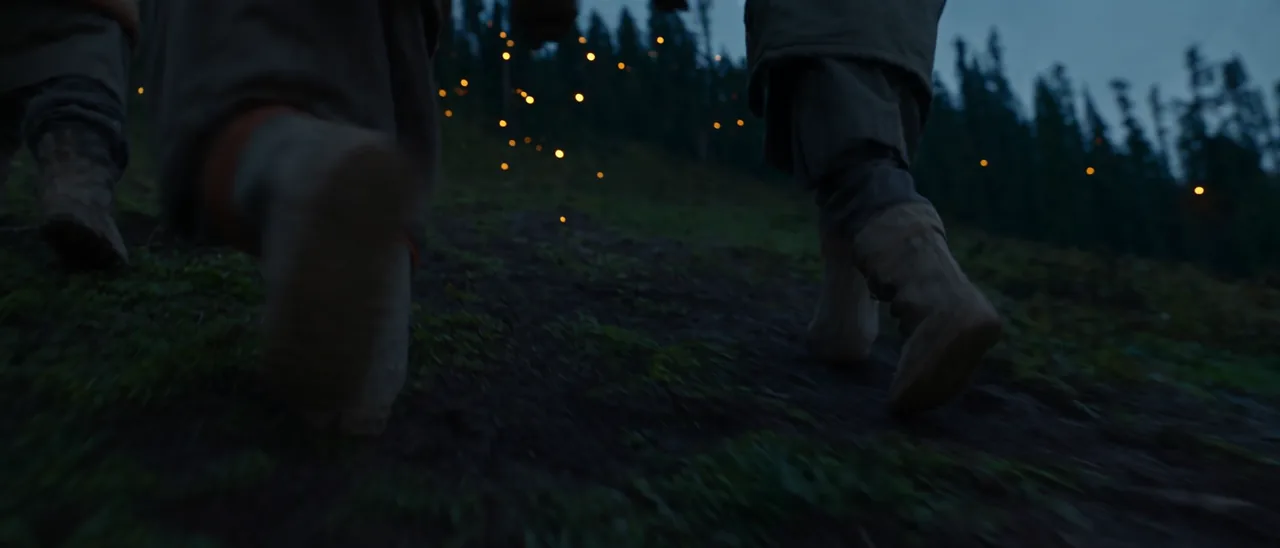
Exactly three recurring characters remain the central continuity constraint. 2. Use shot size to control emotional distance
The sequence begins with tactile extreme close-ups: a hand on wet grass, then eyes reflecting tiny moving lights. The audience encounters sensation before geography.
It then expands:
- Extreme close-up: touch and curiosity.
- Low tracking: physical pursuit.
- Medium group shot: shared discovery.
- Wide shot: the children become small against the valley.
- Close-up: the wonder becomes personal again.
- Extreme wide rise: the story resolves into scale.
This is a visual sentence: detail, discovery, movement, togetherness, awe, release.
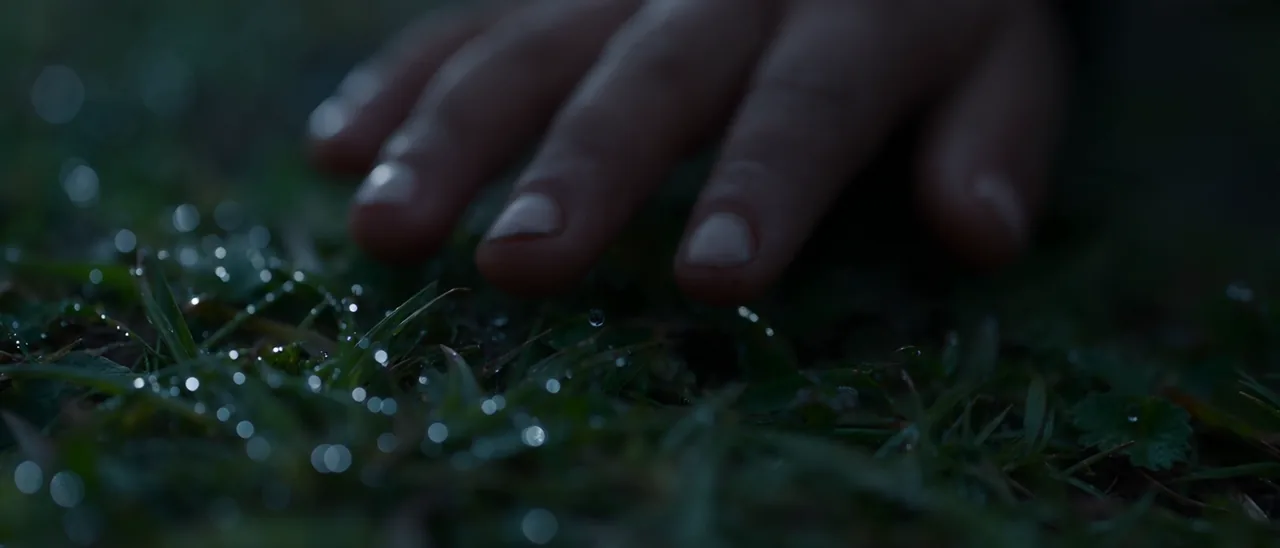
Extreme close-ups let the audience encounter sensation before geography. 3. Give every shot one readable action
The actions remain simple enough to complete inside their time windows: brush, look, run, gather, cup, open, chase, breathe, stop, look up.
This matters because a 2.5-second shot cannot reliably contain a complicated chain of performance, camera and environmental events. Treat each shot as one dominant verb. If the action requires “and then” several times, it probably needs another shot.
4. Use lens language as a hierarchy, not decoration
The plan alternates between wide, normal and telephoto perspectives:
- wide lenses establish the hillside and valley;
- mid-range lenses keep the running group readable;
- longer lenses isolate hands, eyes, breath and expression.
Naming a cinema camera or lens does not guarantee a physically accurate simulation. The useful part is the intended perspective: expansive, intimate, compressed or tactile. Treat camera-brand language as secondary to shot size, viewpoint, depth and movement.
5. Design the audio before the final shot
The film uses no music. Its sound bed consists of crickets, wind through pine, footsteps, fabric movement, a distant dog and river hum. A soft children’s vocal motif appears and fades across the sequence.
That restraint prevents the soundtrack from dictating emotion too aggressively. It also provides continuity when the image cuts between macro details and wide landscapes. For native audio generation, describe source, distance, intensity and timing. “Wind” is vague; “soft wind through pine, rising under the wide shot and dipping before the final look upward” is directable.
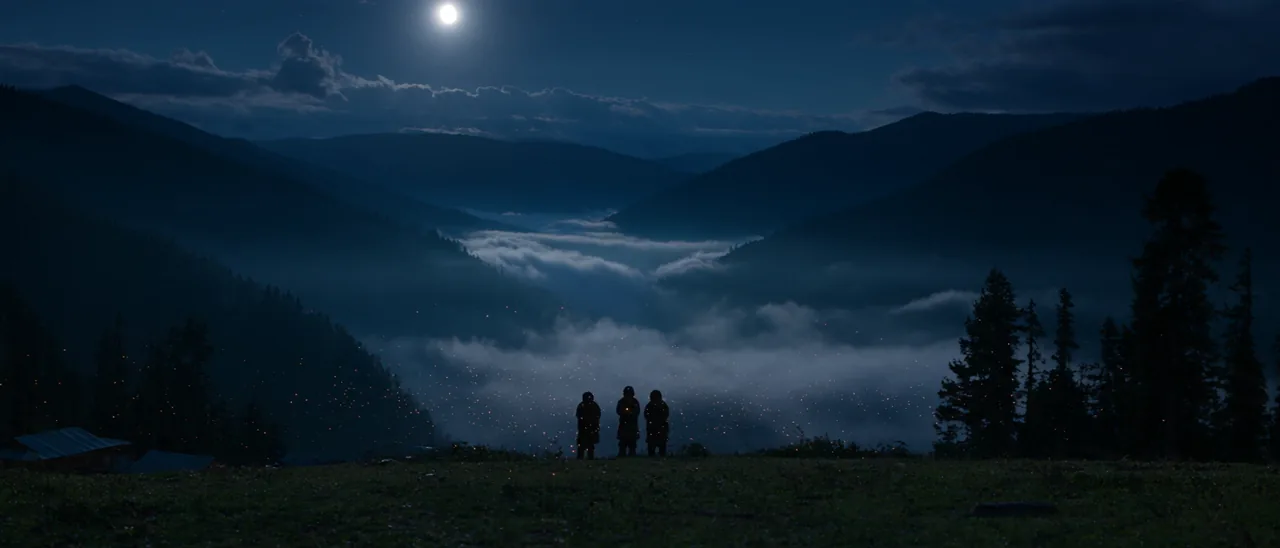
A single, readable action gives the model a clear temporal beat. 6. Escalate one visual motif
The fireflies begin as tiny reflected lights, become an object held between palms, then expand into a field around the children. The motif grows with the emotional arc.
This is more coherent than adding a new spectacle to every shot. Choose one visual idea and let it evolve.
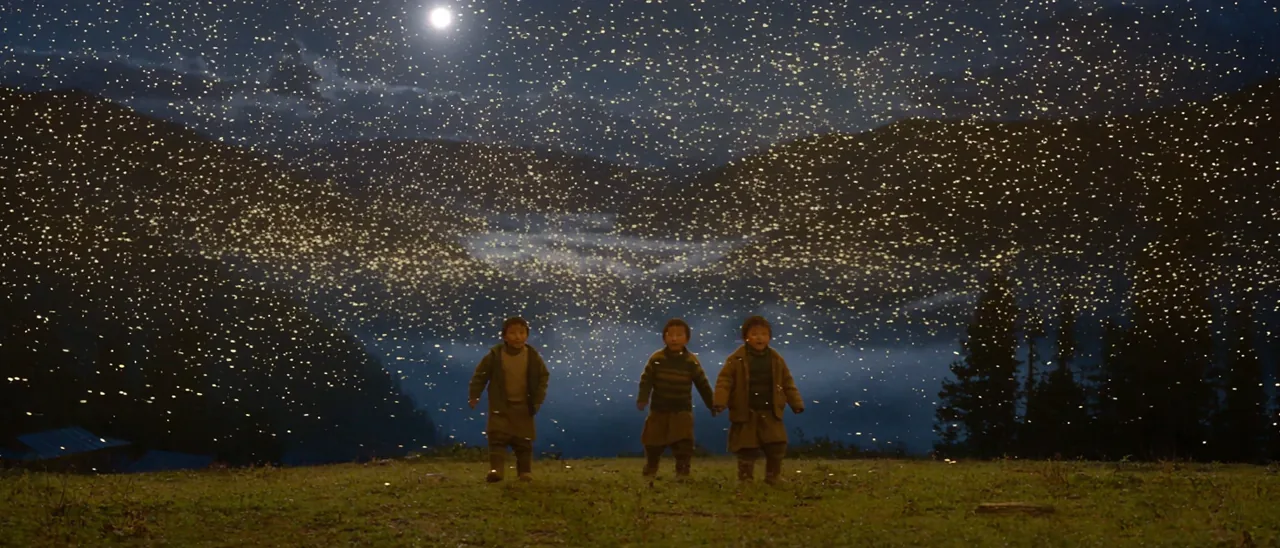
The firefly motif escalates from a reflected point of light to the visual climax. What worked and what still needs human judgment
The strongest results are the macro-to-wide progression, the readable three-child group staging, the blue-and-gold palette and the sound-led sense of place. The generated title card also creates a clean ending.
There are still limits worth acknowledging:
- close-up identity details are not perfectly locked across every cut;
- the firefly density becomes poetic rather than strictly naturalistic;
- “Sikkim” in a prompt does not guarantee geographically exact architecture, clothing or landscape detail;
- generated titles should be recreated in post when exact typography and brand consistency matter;
- complex multi-subject interactions remain harder than isolated actions.
ByteDance’s own Seedance 2.5 announcement notes that physical plausibility in complex motion and stability with multiple interacting subjects still have room to improve. A professional workflow therefore treats the generation as footage to direct, select and finish, not as an unquestionable final render.
Multi-shot prompting: one pass or separate clips?
Current models can generate longer multi-shot sequences. Seedance 2.5 officially supports up to 30 seconds in a single generation and emphasizes stronger shot transitions, continuity, native audio-video creation and multimodal references.
Use a single multi-shot generation when:
- the emotional arc is simple;
- the world and subjects remain consistent;
- transitions are part of the creative test;
- small continuity imperfections are acceptable.
Use separate clips plus editing when:
- every shot must meet client approval;
- a product, actor or logo must remain exact;
- timing needs frame-level control;
- one failed shot should not invalidate the entire sequence;
- you need deliberate sound mixing, titles or color matching.
For longer projects, use the generated sequence as previs, a reference pass or a source of selected shots. PewdenAI’s Veo scene extension guide explains another continuity workflow built around extending from a previous clip.
Image-to-video and text-to-video need different prompts
Text-to-video
The prompt must establish both appearance and motion. Define the subject, environment and visual identity before directing the action.
Image-to-video
The image already contains composition, styling and subject appearance. Focus the prompt on what changes over time:
- subject action;
- camera path;
- environmental motion;
- what must remain fixed;
- the ending state.
Avoid redescribing the image in ways that conflict with it. For accessible starting tools, see PewdenAI’s guide to free AI image-to-video generators without watermark. For a broader model comparison, see top AI video generators.
Troubleshooting common AI video prompt failures
Failure Likely cause Better direction Extra or duplicated characters Count mentioned once but not locked State exact count, same identities and prohibited extras. Camera drifts or warps Too many movement verbs Keep one primary move and one endpoint. Subject motion feels weightless Action lacks contact and resistance Describe foot placement, surface, weight shift and one physical imperfection. Wide shots lose the hero No spatial hierarchy Define subject position, scale and background emptiness. Every shot feels unrelated Style restated differently Create one global environment, palette and camera-behavior lock. Audio feels generic Only a mood was requested Name sources, distance, intensity and cue timing. “Cinematic” result looks artificial Style adjectives replace physical detail Specify motivated light, material texture, atmosphere and restrained motion. Text is misspelled Model is asked to finish typography Add titles and logos in post-production. A practical generation workflow
- Write the emotional change in one sentence.
- Lock the subject count and identity.
- Define one world, one time of day and motivated light sources.
- List the story as 6–12 single-action beats.
- Assign a shot size and one camera move to each beat.
- Add subtle environmental motion only where it supports the action.
- Build a continuous audio bed, then add synchronized cues.
- Generate a low-cost test before the highest-quality pass.
- Review identity, anatomy, physics, geography, text and audio separately.
- Fix the weakest shot or layer instead of rewriting everything.
- Edit, mix, grade and recreate typography in post when precision matters.
If you are evaluating which model fits a specific production, PewdenAI’s Seedance 2.0 consistency stress test shows how prompt adherence and complex action can be tested beyond attractive demo shots.
Final takeaway
A strong AI video prompt is not a pile of cinematic words. It is a compact directing document.
Lock what must remain stable. Give each shot one job. Separate subject, camera and environmental motion. Use sound as continuity. Let framing and movement serve the emotional arc.
The model generates frames. The prompt should still reveal a director.
Official references